HeyVigo AI SOLUTIONS

AI Video Generator

Turn a prompt, image, script, or reference into quality video. Keep every storyboard, asset, shot, version, and comment connected in one production workspace.

MAIN FEATURES

One AI Video Maker for Every Kind of Production

Marketing and Advertising

Turn campaign copy, scripts, product images, and creative references into ad concepts and multi-format video assets. Explore different hooks, scenes, selling points, and visual treatments while keeping each variation tied to the same campaign.
Ecommerce and Product Videos

Animate product images, build showcase shots, explain features, and create video variations for stores, marketplaces, and paid social. Keep approved product media available across the project so the item remains central to the story.

Social Media Content

Create visual content for TikTok, Reels, Shorts, and other social formats. Test different openings and creative directions, then keep the strongest versions ready for editing and distribution.

Creative Teams and Agencies

Run multiple projects without separating the brief, assets, model output, and client feedback across unrelated tools. HeyVigo gives teams a shared view of what is in progress, under review, being revised, or approved.

WHY CREATE HERE

AI Video Generation with Various Inputs

Generate Video from Text

Describe a scene in natural language or begin with a written brief. Define the subject, action, camera, lighting, timing, and details that must remain stable. HeyVigo turns the brief into a reviewable text-to-video task.

Bring an Image to Life

Upload a character, product, or scene image and explain how it should move. Add camera direction such as a slow push-in, orbit, pan, pull-back, or locked shot. Use the result as a standalone clip or as an approved asset for the next shot.

Turn Scripts Into Visual Plans

Start with a script, story, document, or campaign brief. Break the material into scenes and shots, identify characters and locations, and create a storyboard before committing resources to final generations.

Transform Existing Footage

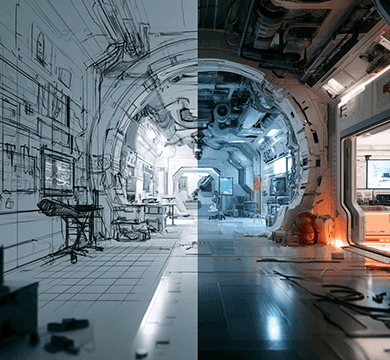
Use video-to-video AI when motion, timing, or composition already exists and the task is to explore a new visual direction. Keep the source, instructions, outputs, and review notes together for easier comparison.

MODEL CENTER

The Best AI Video Generator That Fits the Shot

HeyVigo brings leading AI models into one AI video workflow.

WORKFLOW

How to make an AI video in HeyVigo

01

Add your idea or source material

Begin with a prompt, script, document, image, product asset, reference clip, or existing video.

02

Plan the scenes and constraints

Confirm the video generation requirements.

03

Generate with the right model

Choose an available AI video model and settings for the current input.

04

Review, revise, and deliver

Review and revise the generated video to keep approved assets ready for reuse.

FAQ

HeyVigo AI Video Generator FAQs

Start Your Next Video with HeyVigo AI Video Generator

Bring your idea, script, images, and references into one AI video production workspace.

Start Creating